Fast STL Viewer
Wall thickness analysis, printability checks, measurements, and cross-sections — professional STL inspection on Android.
Professional inspection tools on your phone
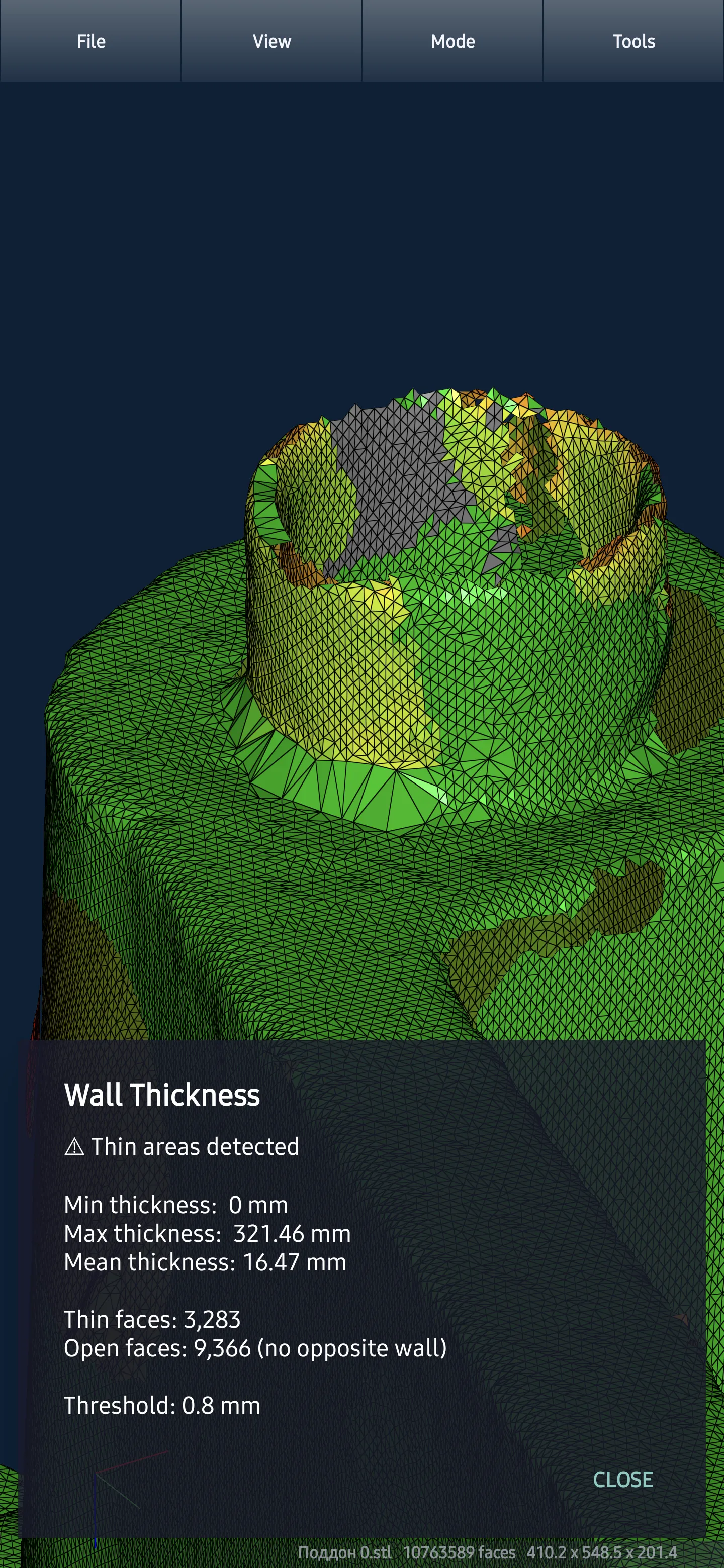
Wall Thickness Heatmap
Color-coded thickness map across your entire model — spot thin walls and weak points before they become failures
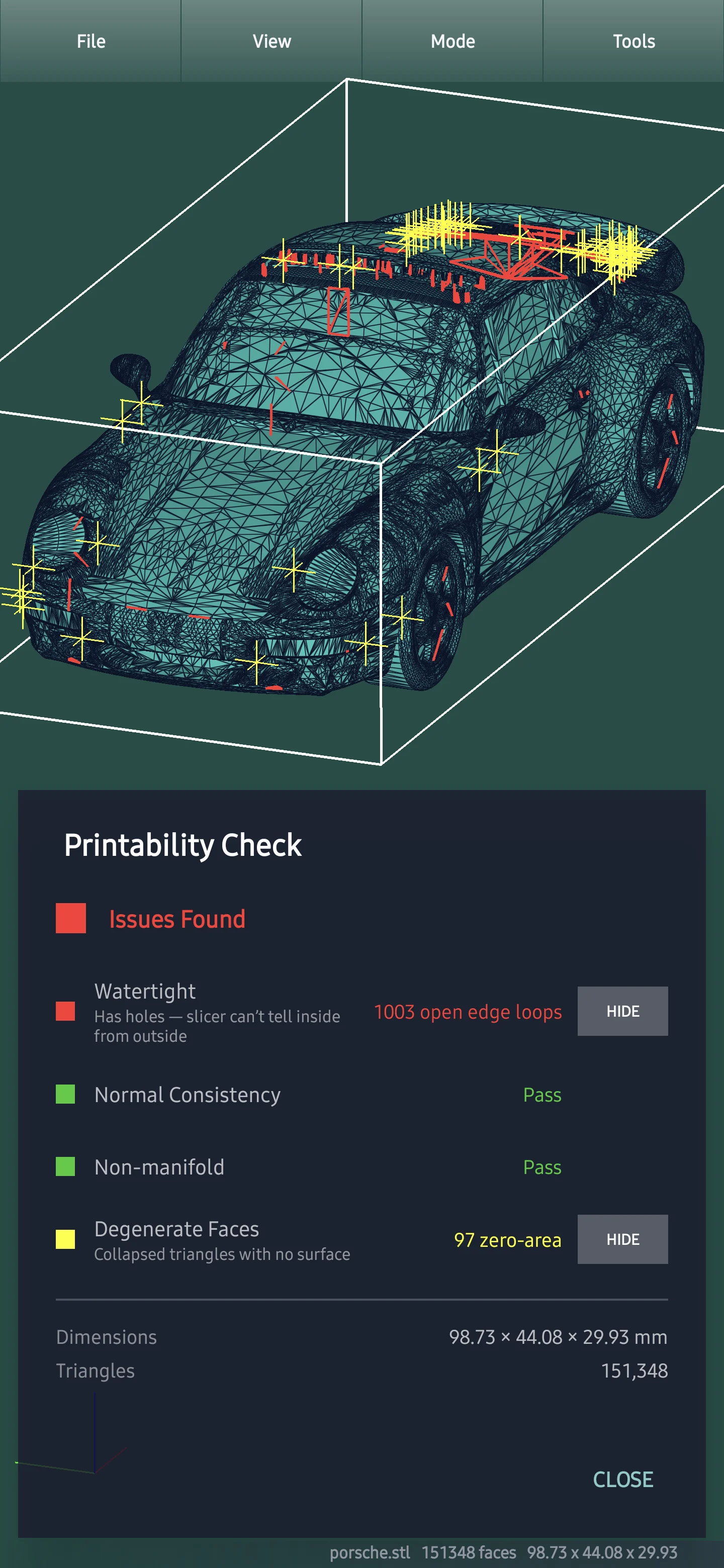
Printability Check
Open edges, flipped normals, non-manifold geometry, and degenerate faces — four automated mesh checks in one tap
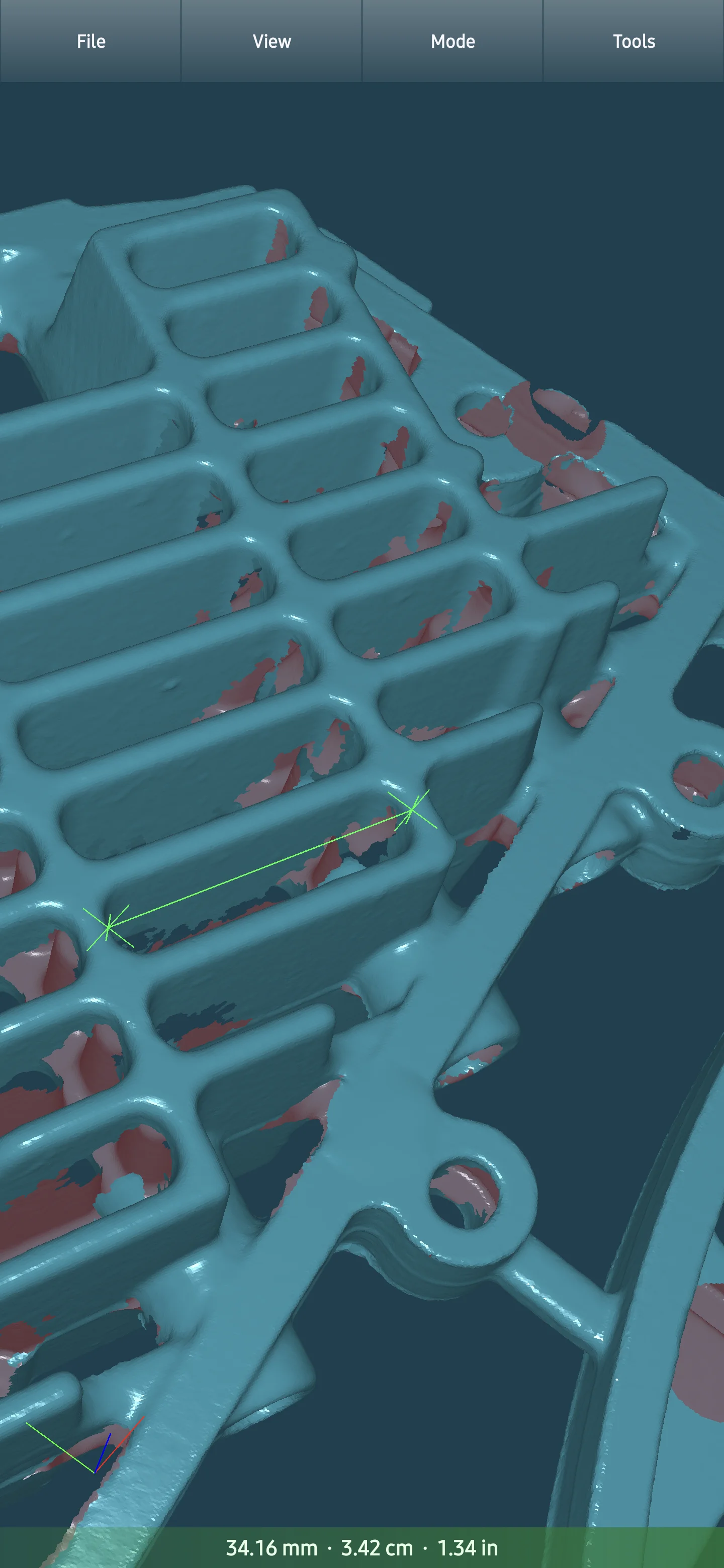
Precise Measurements
Point-to-point distances, volume, surface area, and bounding box — in mm, cm, or inches
Cross-Section Slicing
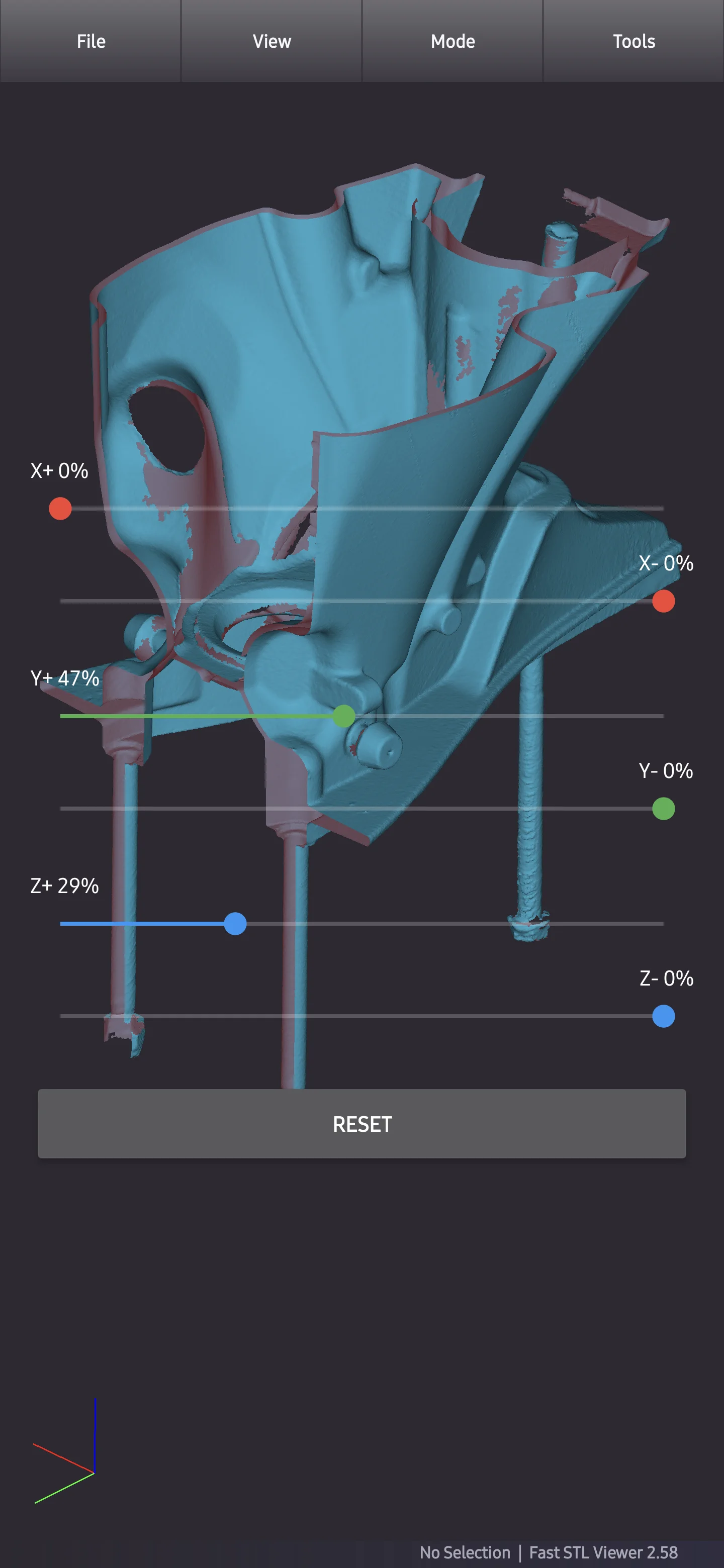
Cut through models along X, Y, and Z axes to inspect internal geometry
Built for Performance
Native C++ engine with hardware-accelerated analysis — millions of triangles in real time
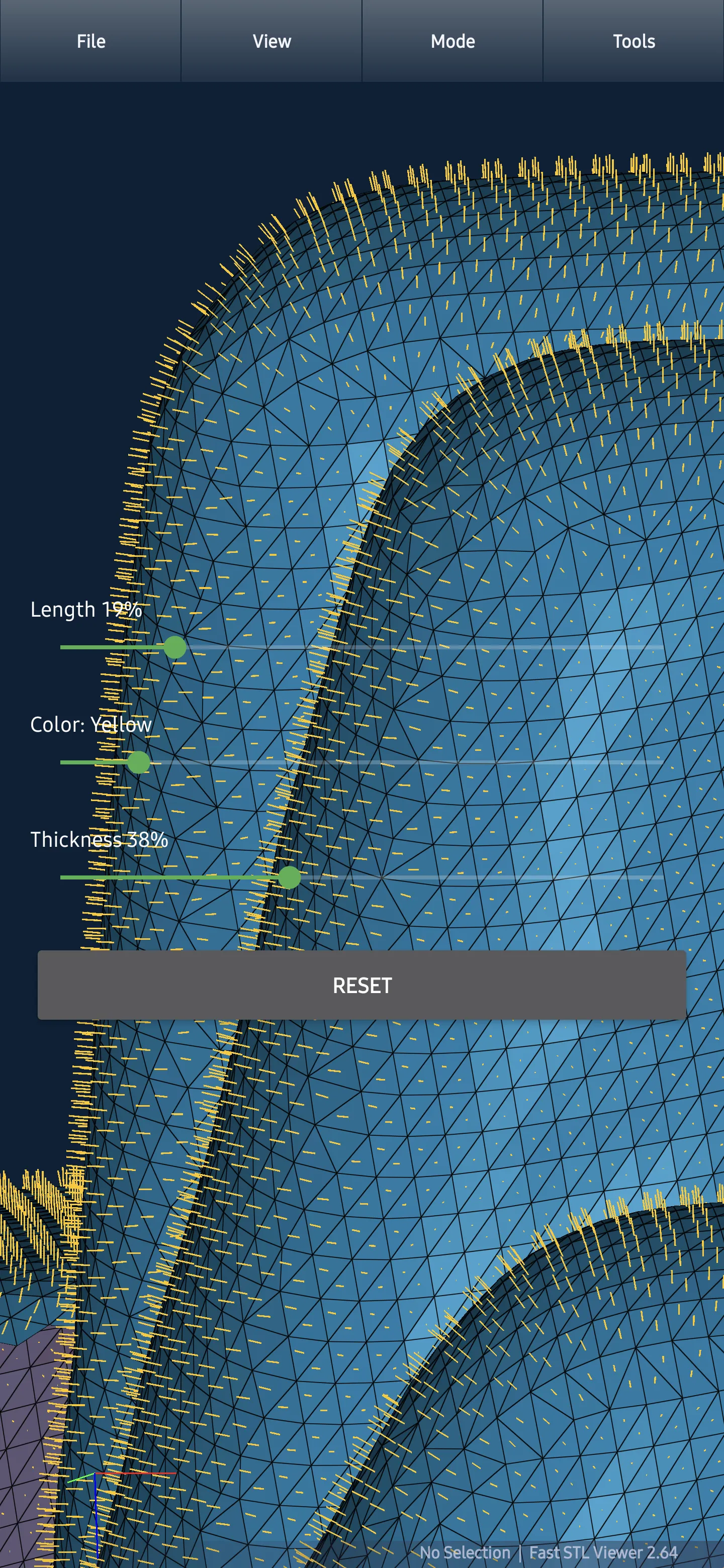
Normal Visualization
Per-face normal vectors with adjustable length, color, and thickness — verify surface orientation at a glance
Get started with STL files
- Find a saved model using File → Open inside the app, or open an STL from Android's file manager.
- Inspect each side with view orientation presets and compare surfaces and edges using STL display modes.
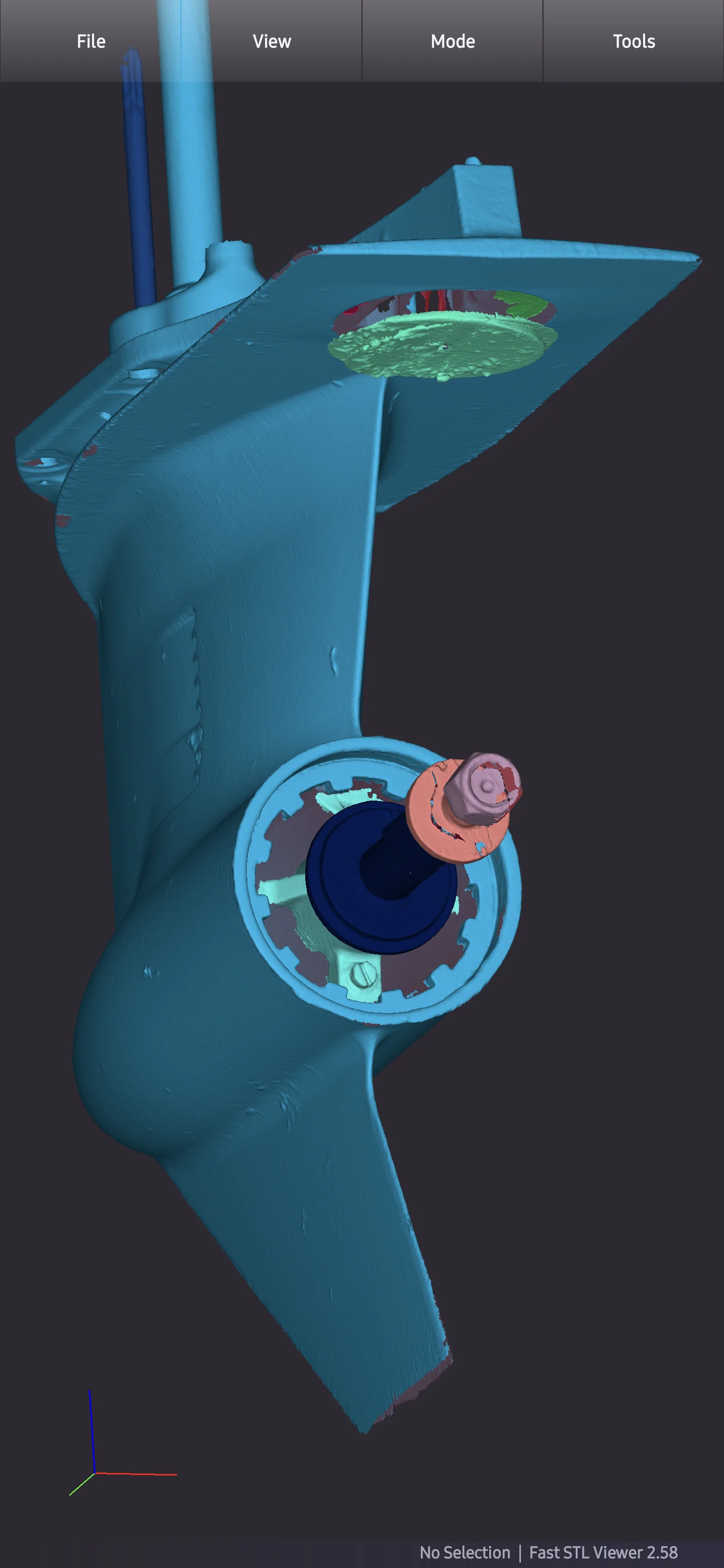
- Use Tools → Separate to find unconnected parts in an STL model and select its components individually.
See it in action
Wall Thickness Heatmap
Color-coded thickness map across your entire model. Spot thin walls, weak points, and structural risks at a glance — with min, max, and mean values. The first mobile STL viewer with wall thickness analysis.
Point-to-Point Distance
Tap any two points on your model and get precise measurements instantly — displayed in mm, cm, and inches simultaneously.
Cross-Section Slicing
Cut through models along X, Y, and Z axes to inspect internal geometry — verify cavities, channels, and hidden features.
Printability Check
Four automated mesh checks in one view — open edges, flipped normals, non-manifold geometry, and degenerate faces. Interactive 3D overlay highlights each issue directly on your model.
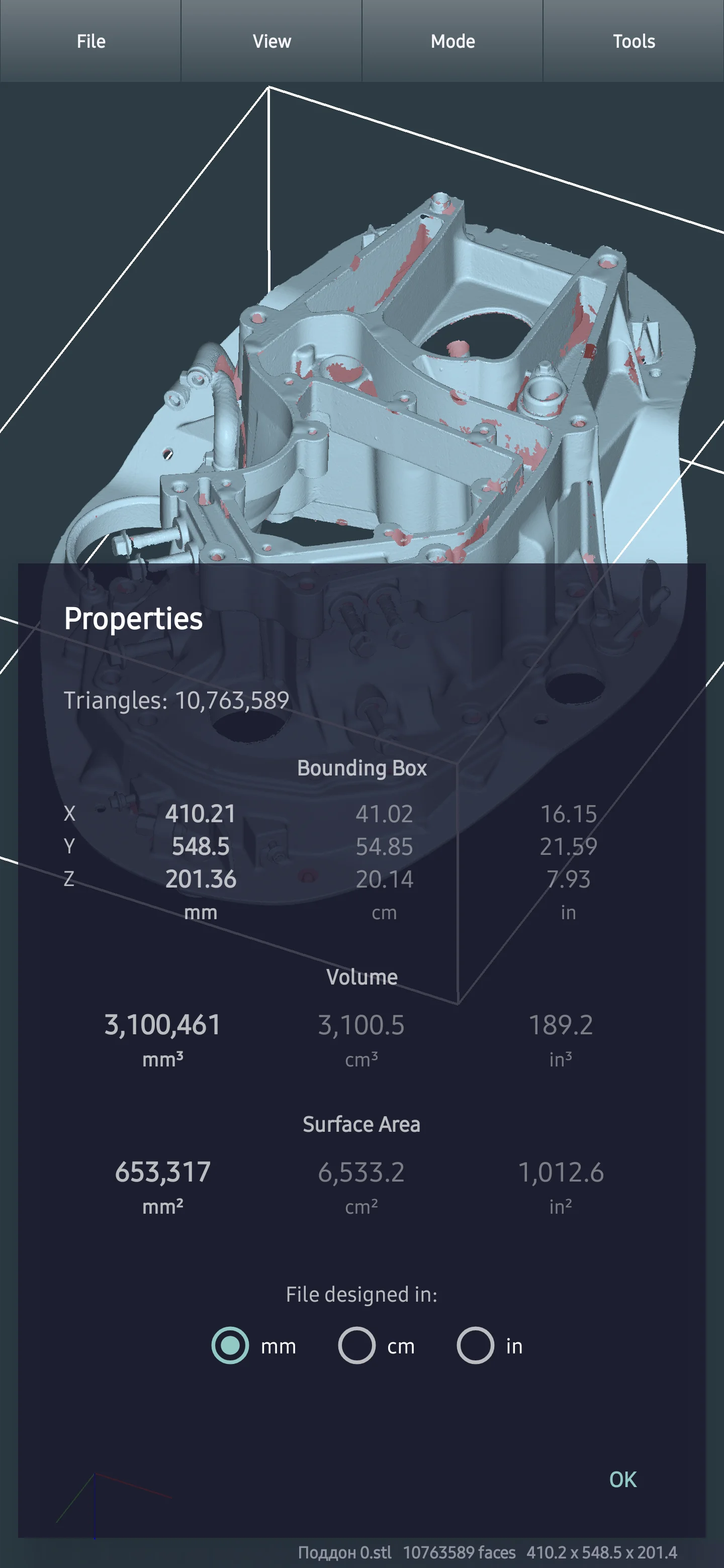
Volume, Area & Dimensions
Volume, surface area, bounding box, and triangle count in mm, cm, or inches.
Detect Unconnected Components
Automatically detect and color-code separate components within a single file — select and inspect each one individually.
Normal Visualization
Per-face normal vectors with adjustable length, color, and thickness. Verify surface orientation at a glance — essential for diagnosing reversed faces.
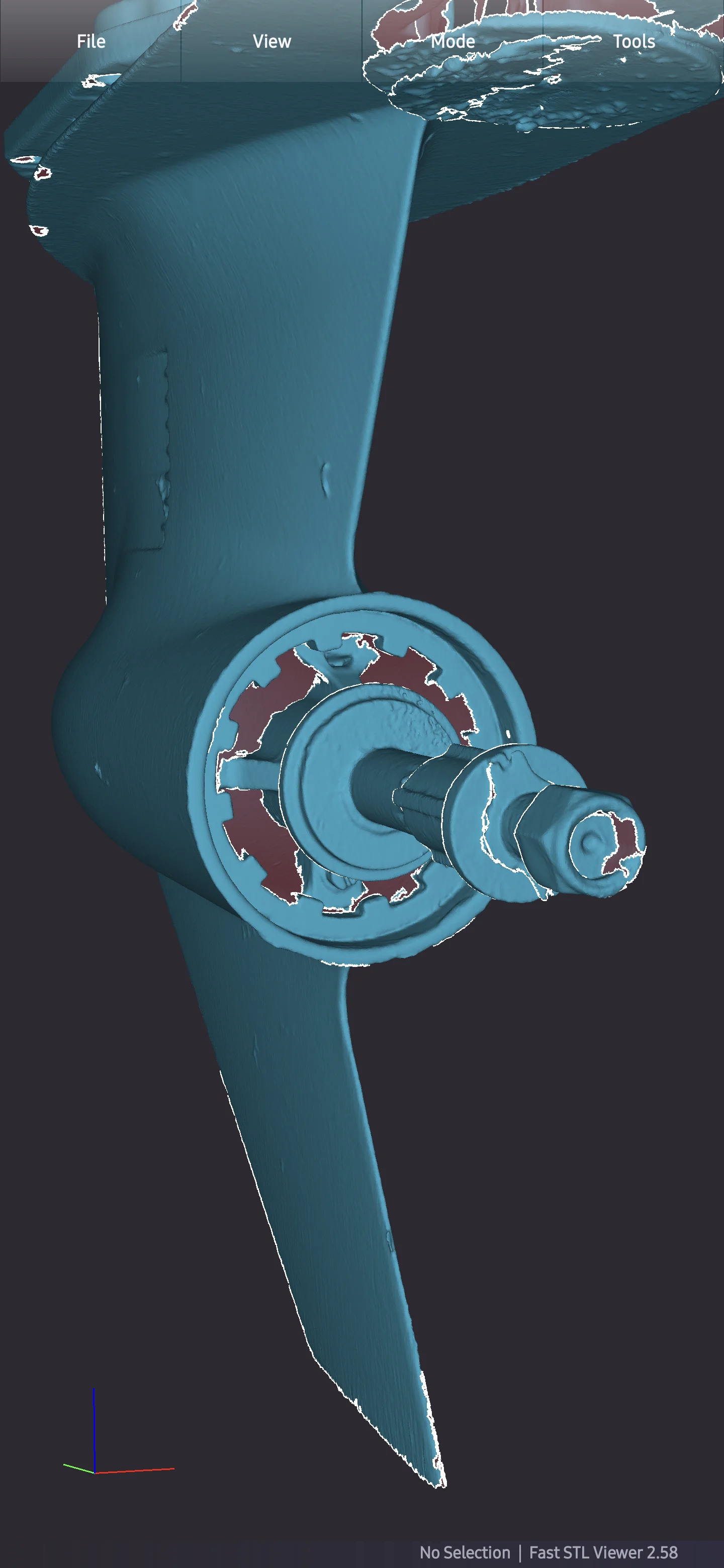
Open Boundary Detection
Identify open edges and non-watertight geometry — catch mesh gaps before they cause downstream failures.